
Any information contained on this Website is not legal advice and should not be treated as such. You should always contact an attorney for help with your specific legal needs and issues. We may also earn a commission when you click links to our partners and purchase goods or services. For more information, read our Disclaimers Policy.
Why Interaction Design is Your Secret Weapon
Interactive design principles are the fundamental guidelines that determine how users engage with digital products—from the moment they land on your website to every click, scroll, and conversion along the way. If you're looking to boost engagement and turn visitors into customers, understanding these principles is essential.
The core interactive design principles include:
- Visibility - Making key features and actions immediately apparent to users
- Feedback - Providing clear responses to user actions
- Consistency - Maintaining uniform patterns across your interface
- Affordance - Designing elements that clearly indicate how they should be used
- Constraints - Limiting options to guide users toward successful outcomes
- Mapping - Creating intuitive relationships between controls and their effects
These principles stem from decades of research in human-computer interaction, pioneered by experts like Don Norman and Jakob Nielsen, and they remain just as relevant today—whether you're building a simple landing page or a complex web application.
Here's the reality: users form a first impression of your website in a fraction of a second. That split-second judgment isn't just about your logo or color scheme—it's about how intuitive and responsive your interface feels. A bad experience can drive a visitor away for good, making the stakes incredibly high.
Interaction Design (IxD) focuses specifically on creating meaningful relationships between users and digital products. While often confused with User Interface (UI) design or User Experience (UX) design, IxD occupies a distinct space. UI design handles the visual elements—colors, typography, and layout. UX design encompasses the entire user journey, including research, testing, and strategy. Interaction design sits at the intersection, defining how your interface responds to user input and what happens when someone clicks, taps, or scrolls.
Think of it this way: UI is what users see, UX is how the entire experience feels, and IxD is the conversation between user and system. For your marketing team, mastering these principles means creating websites that don't just look good—they work intuitively, reducing friction and increasing conversions.
If you're curious about how interactive software can transform your digital presence, you can find more info about interactive software for websites design.
The Pillars of Modern Interactive Design Principles
Think of interactive design principles as the grammar of digital conversation. Good grammar makes writing clear; these principles make your website intuitive. They are practical guidelines that determine if visitors stay or leave. At Matthew John Design, we build these principles into every Webflow site, creating a system with proven interaction patterns. This ensures consistency and flexibility for your marketing team. Let's explore the principles that create websites people enjoy using.
The Classics: Don Norman's 6 Principles in the Digital Age
Don Norman wrote The Design of Everyday Things decades ago, but his six principles remain remarkably relevant. He was talking about door handles and stovetops, yet everything he found applies perfectly to your website's navigation and buttons. That's because these principles tap into fundamental human psychology—how we perceive, learn, and interact with the world.
You can explore his thinking further by reading The Design of Everyday Things book.
Visibility is about making key options obvious. If users can't see a feature, it doesn't exist for them. This is the core of the debate over hamburger menus, which hide navigation to save space. The key is to balance visibility by keeping primary actions in plain sight while tucking secondary options away.
Feedback answers the user's unspoken question: "Did that work?" Every user action should trigger a response. A button that doesn't change color, show a loading icon, or display a confirmation message feels broken. We build feedback into every interaction, from subtle hover states to clear success messages, so users are never left guessing.
Constraints sound limiting but are actually liberating. By reducing options, we reduce user anxiety. For example, a form button that stays disabled until all required fields are filled in guides the user toward success. This prevents errors and makes the correct path obvious.
Mapping creates intuitive relationships between controls and their effects. On a well-designed stovetop, the layout of the knobs matches the burners. Digital mapping is similar. For example, the relationship between scrolling a mouse wheel and the content moving on screen should feel natural. Good mapping is invisible; bad mapping creates immediate friction.

Consistency builds user confidence. When elements and patterns are predictable across your site, users learn them once and can apply that knowledge everywhere. We enforce this by building Webflow sites with reusable components, ensuring that new pages created by your team remain cohesive with the rest of the site.
Affordance signals how an element should be used. A button that looks clickable affords clicking. Classic blue underlined links are a perfect example. While modern design sometimes favors aesthetics over obvious cues, it's crucial to provide clear signals like shadows, borders, or hover effects to make an interface self-explanatory.
These six principles work together to create interfaces that feel natural. When you explore creative interactive web design, you're seeing these principles in action, even if you don't consciously notice them.
The Practitioner's Interactive Design Principles: Nielsen's 10 Heuristics
While Norman gives us theory, Jakob Nielsen provides a practical checklist. His 10 Usability Heuristics, developed with Rolf Molich, are "rules of thumb" for evaluating if an interface works for real people. They've remained relevant since 1994 because they address universal aspects of human-computer interaction.
We use these heuristics constantly when refining the sites we build. You can even download the 10 Usability Heuristics posters for your team's reference.
Visibility of system status means keeping users informed about what's happening. Even small delays in page load can impact conversions, which is why loading spinners, progress bars, and status messages are vital. A simple "Sending..." message after a form submission provides reassurance and prevents user doubt.
Match between system and real world is about speaking human language, not system jargon. An envelope icon for email or a shopping cart for checkout work because they mirror physical objects and familiar real-world concepts.
User control and freedom acknowledges that people make mistakes. Clear "Cancel" buttons, "Undo" options, and easy exits from modals give users the confidence to explore without fear. The ability to reverse an action encourages deeper engagement.
Consistency and standards leverages "Jakob's Law"—users spend most of their time on other websites and arrive with established expectations. Following platform conventions reduces cognitive load and makes your site easier to use.
Error prevention is better than a good error message. Designing to prevent problems is key. This includes confirmation dialogs before destructive actions, real-time form validation, or disabling unavailable options. It's about anticipating potential user errors and designing safeguards.
Recognition rather than recall makes interfaces easier to use because it's simpler to recognize something than remember it from scratch. Dropdown menus, visual previews, and breadcrumb trails all help users recognize their options instead of recalling them.
Flexibility and efficiency of use means designing for both beginners and experts. Keyboard shortcuts help power users work faster, while customizable dashboards can serve different needs without forcing a single workflow.
Aesthetic and minimalist design isn't about making everything sparse; it's about removing anything that doesn't serve a purpose. A clean, focused interface helps people accomplish their goals faster by reducing distractions.
Help users recognize, diagnose, and recover from errors by changing frustrating moments into solvable problems. Instead of a generic "Error 404," a helpful message explains what happened and suggests next steps, like returning to the homepage.
Help and documentation is a necessary safety net. While the goal is an interface that needs no instruction, help should be easy to find when required. In-app tooltips, searchable FAQs, and guides support users when they get stuck. A lack of clear information is a common pitfall that can cost conversions.
From Theory to Reality: Applying These Interactive Design Principles
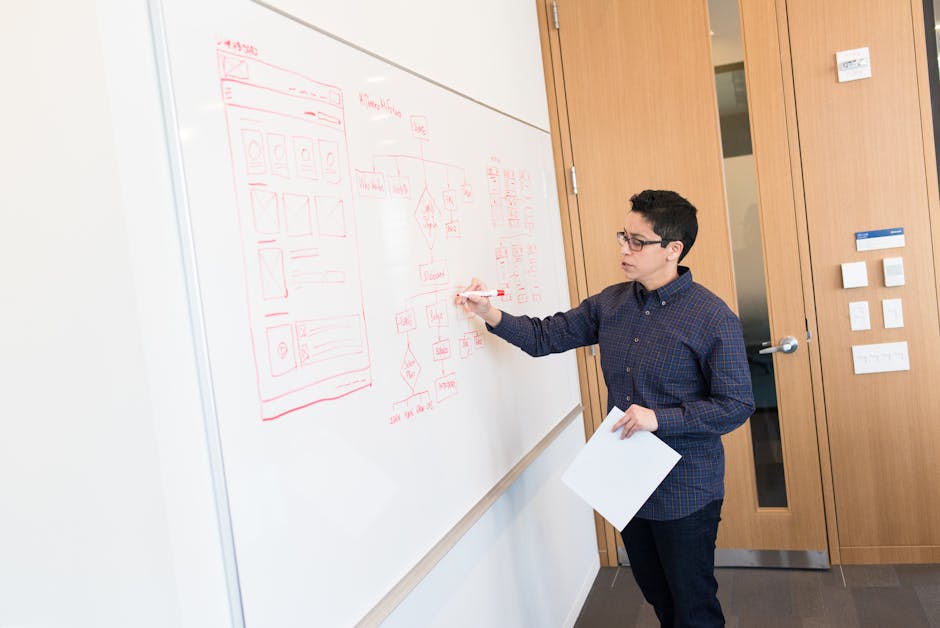
The bridge between theory and practice is cognitive psychology—understanding how people think. For example, human short-term memory is limited, which is why minimalist design and recognition over recall are so effective. We design with these mental models in mind, not against them.
Hick's Law states that the time it takes to make a decision increases with the number of choices. This is why we use progressive disclosure, revealing information gradually to avoid overwhelming users. A simpler checkout process, for instance, leads to higher completion rates because it speeds up decision-making at each step.
Fitts's Law predicts how long it takes to click something based on its size and distance. Larger, closer buttons are faster to click. This influences everything from navigation menu design to call-to-action button placement.
Reducing cognitive load improves learnability. We focus on essential features first, use clear and consistent navigation, and leverage familiar patterns. Each choice removes friction from the user experience.
Accessibility ensures everyone can use your site. The Web Content Accessibility Guidelines (WCAG) provide standards built around four principles: information must be perceivable, interfaces operable, content understandable, and everything robust enough to work with assistive technologies. We design to these standards from the start.
Applying these principles starts with user research to understand audience needs. We map user flows to find friction points and craft clear, accessible interactive elements. Prototyping allows us to test designs early, which is far more cost-effective than fixing problems during development.
Tools like Figma are essential for creating detailed interactive prototypes that behave like the final site. If you're interested in designing an interactive website for prototyping, we can show you how this process works. Understanding using Figma for interactive websites streamlines the entire design-to-development workflow.
Applying these principles also extends to rich media. For example, video can be a powerful tool for demonstrating features or providing feedback, but its implementation impacts performance. When using a platform like Webflow, it's important to note that native video hosting is intended for small, 30 MB background videos. For embedding marketing videos, tutorials, or other content, relying on optimized third-party solutions such as YouTube, Vimeo, or Vidzflow is the best practice to ensure a fast, seamless experience for all users.
We collaborate with stakeholders to balance user needs with business goals, maintain consistency with design systems, and stay current with evolving best practices. These principles are practical tools that make your website more effective, your users more satisfied, and your business more successful.
Conclusion: Turning Great Interactions into Business Growth
Here's the truth: you can have the most beautiful website in the world, but if users can't figure out how to use it, they'll leave. And they won't come back.
The interactive design principles we've explored—from Don Norman's foundational concepts to Jakob Nielsen's practical heuristics—aren't just academic theory. They're the difference between a website that frustrates visitors and one that converts them into loyal customers.
The impact is compelling. A site with good UX is significantly more likely to convert visitors. When you apply principles like visibility, feedback, and consistency, you create experiences that feel effortless. Users don't have to think about where to click or what to do next; the path is clear.
That seamless experience translates directly into business results: increased conversions, higher user retention, and sustainable growth. Every interaction matters. Every click, scroll, and form submission is an opportunity to either build trust or lose it.
At Matthew John Design, we've built our entire approach around translating these sophisticated design principles into real-world results for businesses like yours. We design and develop scalable Webflow sites with reusable components, templates, and CMS structures that don't just look good—they work intuitively.
What makes our approach different? We empower your marketing teams to launch pages, run campaigns, and keep your site fresh without waiting for developers. That means you can iterate quickly, test new ideas, and respond to market changes while maintaining the high-quality interactions that keep users engaged.
The best part? You don't need to become a design expert to benefit from these principles. That's our job. We handle the complex interplay of cognitive psychology, accessibility standards, and user behavior patterns so you can focus on what you do best—running your business.
Your website should be a growth engine, not a bottleneck. When interactions are designed with intention, users stay longer, engage more deeply, and convert at higher rates. They have a better experience, and they come back.
Ready to transform your digital presence into a powerful asset that drives real business growth? Build a more engaging website with our design and development services and let's create something exceptional together.
