Any information contained on this Website is not legal advice and should not be treated as such. You should always contact an attorney for help with your specific legal needs and issues. We may also earn a commission when you click links to our partners and purchase goods or services. For more information, read our Disclaimers Policy.
How Text Improves Customer Service for Small Business Websites
As a web designer working with small business and service business websites, I’ve seen firsthand how customer communication can make or break the user experience. On my own site, MatthewJohn.design, I specialise in building scalable Webflow websites, but one consistent challenge that comes up with clients is customer service.
Teams spend so much energy generating leads and growing brand awareness, but if the support experience is clunky, delayed, or inconsistent, it undermines all that effort. That’s where Text comes in. It’s more than just a live chat tool — it’s a complete customer service platform that combines AI automation, live chat, and help desk tools in one place.
In this review, I’ll walk you through the problems small business websites face with customer communication, how Text addresses them, and why I recommend it as a platform that can genuinely scale with a growing team.
The Problems Small Business Websites Face
When I work with clients, I usually see five recurring challenges with customer communication:
- High volume of inquiries — From new visitors to returning customers, small businesses often get flooded with questions across email, chat, and social.
- Slow response times — Small teams aren’t staffed like full call centres, so customers wait too long for answers.
- Repetitive questions — Simple FAQs about pricing, availability, and services eat up hours of staff time.
- Scattered conversations — Teams use multiple tools, making it hard to track the full customer journey.
- Scaling with growth — As the business grows, so does the customer base, and small support setups quickly hit a breaking point.
These pain points don’t just create internal headaches — they directly affect customer retention and brand trust.
How Text Helps Solve These Issues
What stood out when I started using Text.com is that it’s not just another chatbot. It’s positioned as a customer service platform that combines automation, AI, and live human support in one place. Here’s how it directly addresses the challenges above:
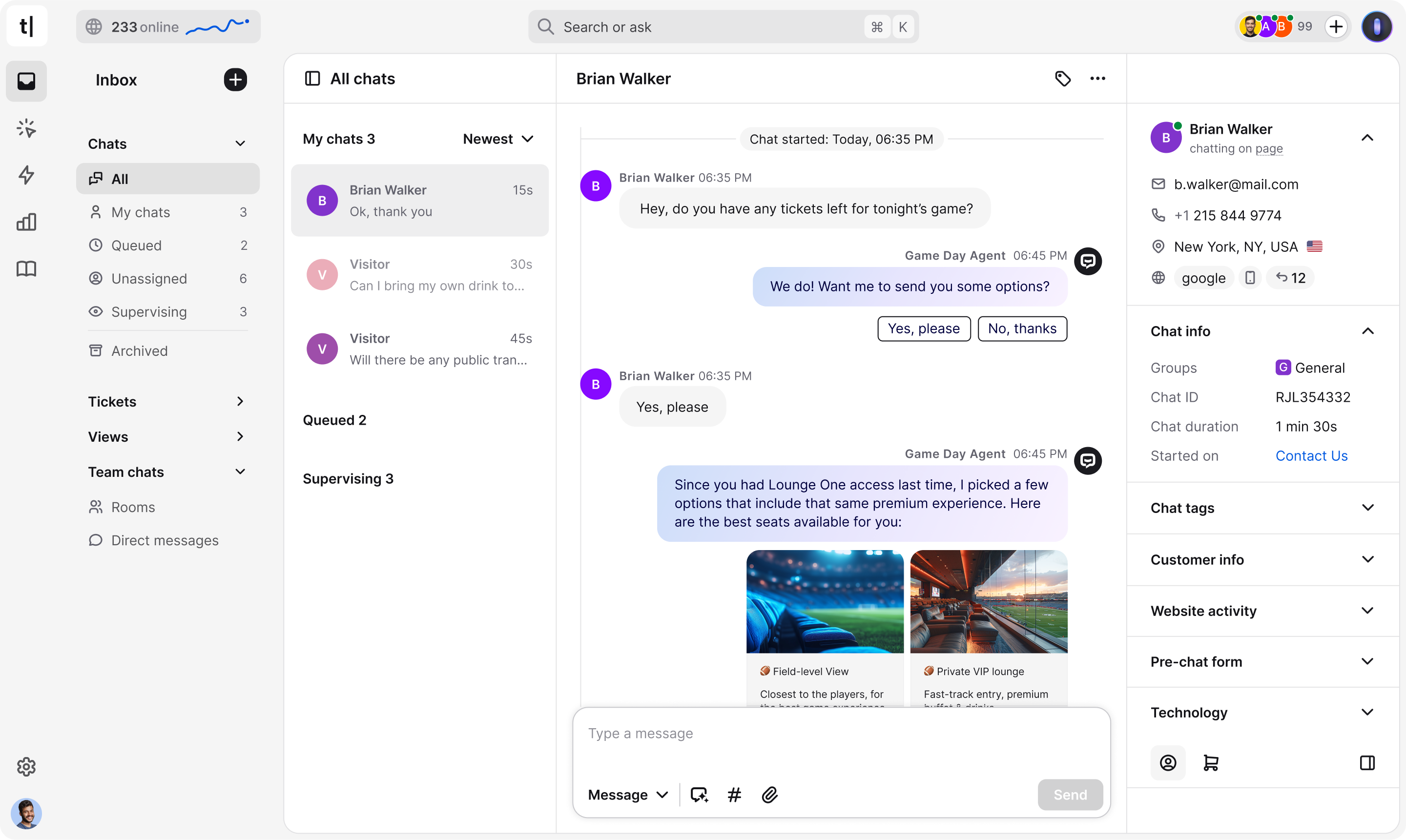
Unified Inbox
Instead of jumping between email, chat, and social DMs, Text brings everything into a single, easy-to-use inbox. That means you can see a full customer conversation history at a glance — no more lost context or fragmented threads.
AI Customer Service Automation
The built-in AI automation handles repetitive questions instantly. Billing inquiries, availability questions, and product FAQs can be answered in seconds without involving a human agent. This frees up staff to focus on higher-value interactions, like closing sales or solving complex issues.
24/7 Availability
Customers don’t just reach out between 9–5. With AI-powered automation, Text ensures that visitors get quick responses around the clock — keeping satisfaction high without requiring overnight staff.
Seamless Integrations
Text integrates smoothly with popular CRM, marketing, and collaboration tools, so you can plug it into existing workflows rather than rebuilding everything around it. For Webflow sites specifically, integration is via a simple custom code embed.
Human + AI Balance
Unlike some platforms that go all-in on automation, Text is built for hybrid service. The AI handles the straightforward queries, and when needed, it escalates seamlessly to a human agent — avoiding the “bot wall” problem where customers get stuck in loops.
Standout Features
The features I’d highlight as most useful for small business websites:
- User-friendly design — Clean interface, easy for both agents and managers to pick up without heavy onboarding.
- Omnichannel support — Customers can message from anywhere — web chat, email, social — and it all lands in one place.
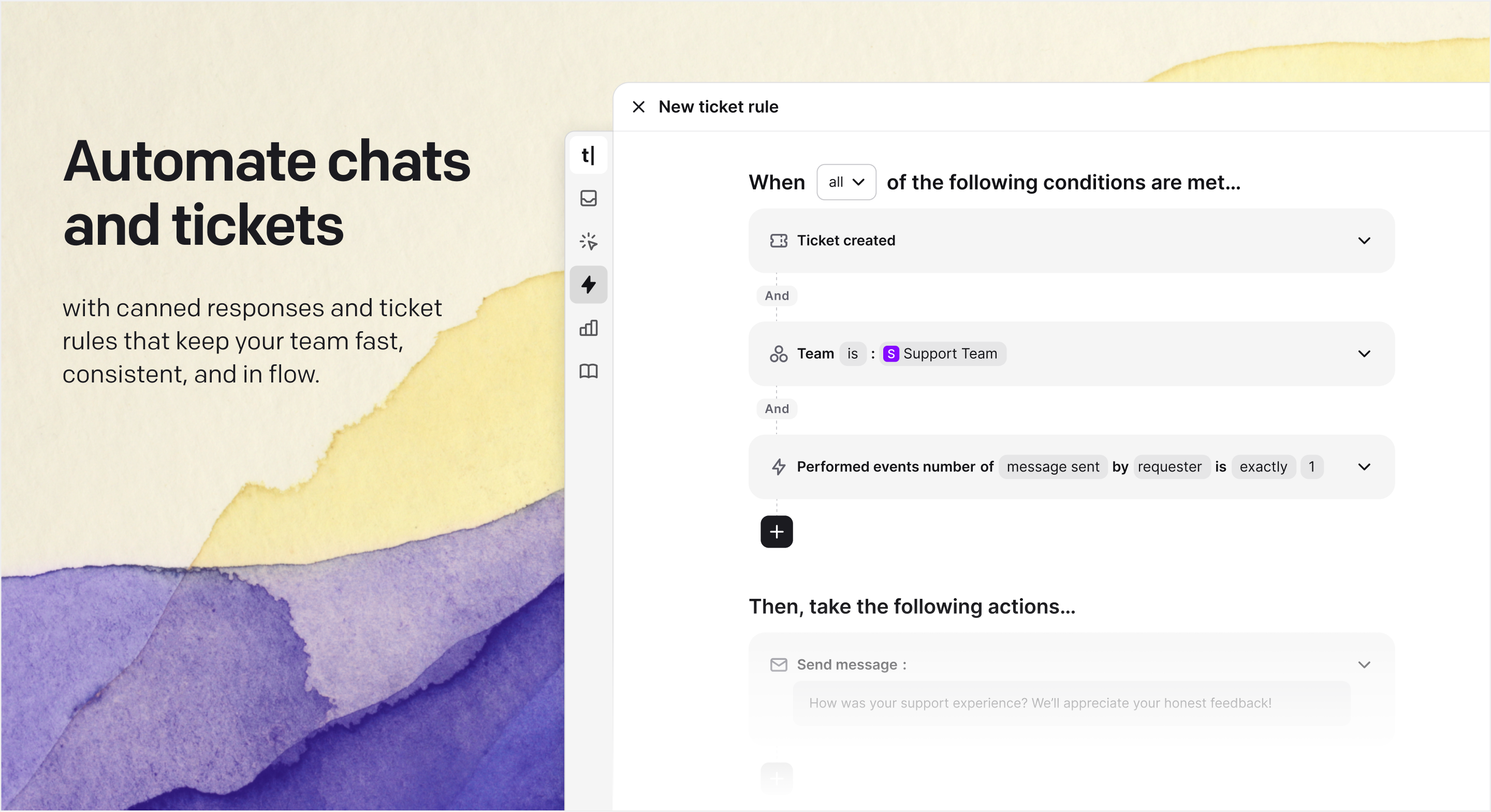
- Customisable automations — You can tailor automation to your business, making responses feel brand-specific rather than generic.
- Analytics and insights — Track response times, resolution rates, and customer sentiment to make data-driven improvements.
- Team collaboration — Internal notes and tagging keep support organised across teams.
Final Thoughts
The beauty of service businesses is that they scale quickly. But support needs to scale just as fast, or customers churn. By using a platform like Text, you can reduce churn through faster service, free up staff from repetitive tasks, maintain consistent customer experiences as you grow, and improve collaboration across sales and marketing.
I recommend Text as a customer service platform that balances automation with a human touch. It’s one of the better setups I’ve found for businesses that want to provide solid support without burning out their teams.
Adding live chat to your Webflow site
Text integrates cleanly with Webflow via a custom code embed — paste the chat widget script into your site’s custom code settings and it’s live on every page. If you’re setting up Text on a new or existing Webflow site, Matthew John Design can handle the integration as part of a broader website project.
You can get started with Text free for 14 days at text.com — no credit card required.