
Direct answer
What changes when you move from a project to a Webflow retainer?
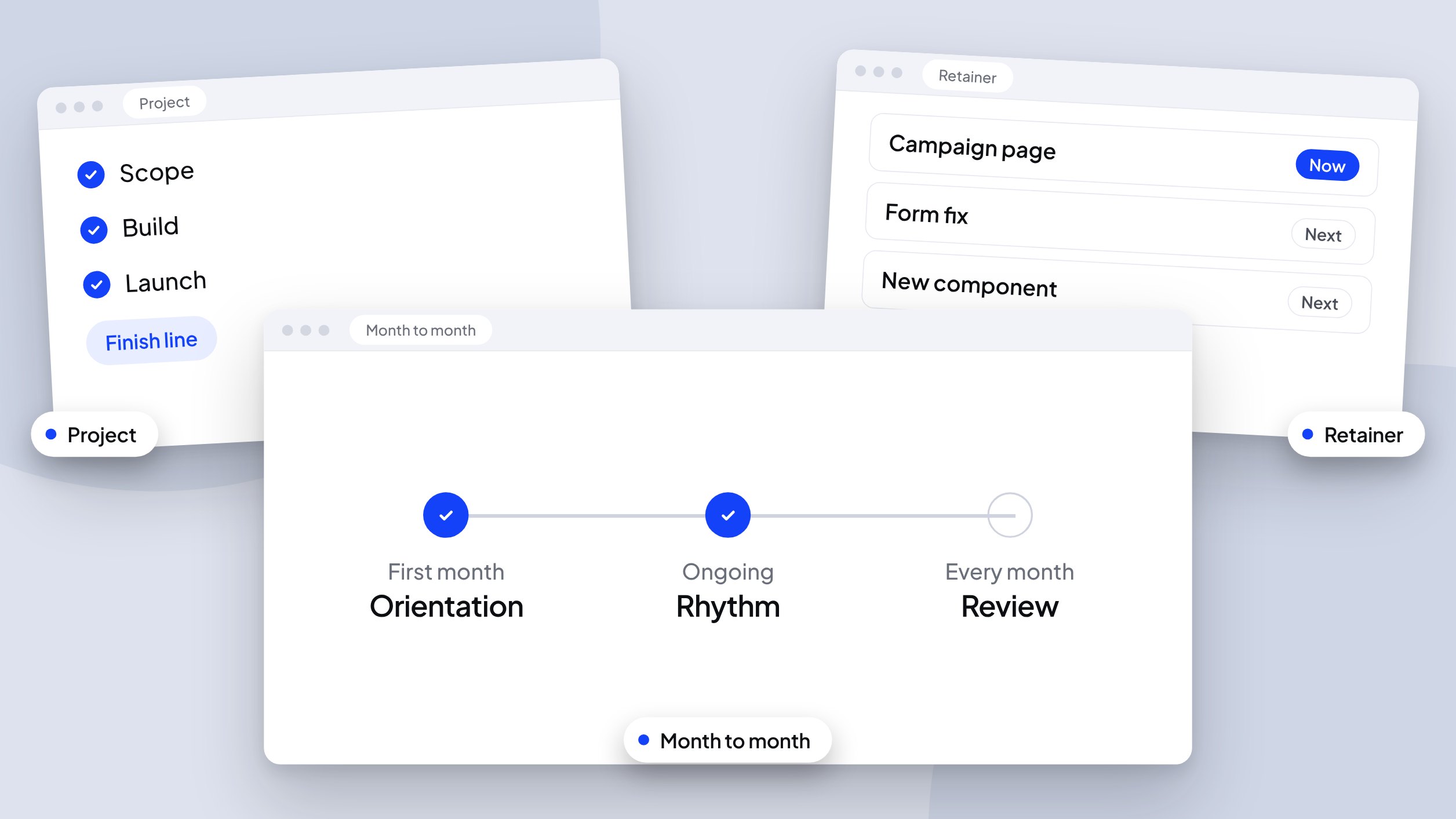
A project ends at launch. A retainer gives the site a standing owner, filters incoming requests against what’s already live, and brings decisions to you on a schedule. It runs month to month: the first month is orientation, and every month after has a steady delivery rhythm and a review.
Any information contained on this Website is not legal advice and should not be treated as such. You should always contact an attorney for help with your specific legal needs and issues. We may also earn a commission when you click links to our partners and purchase goods or services. For more information, read our Disclaimers Policy.
Your site launched and the project closed. Now the requests start: a landing page for next month’s campaign, a pricing table that needs three edits, a form that stopped reaching the CRM. Each one is small. Together they become a standing workload that a project contract was never built to carry.
A retainer is the structure for that workload. This is what changes when you move from project work to ongoing support, and what to ask before you commit.
What a project does well, and where it stops
A scoped project is built around a finish line. You agree on deliverables, a timeline, and a handoff, and the work ends when the site launches. That’s the right shape for a build, a rebuild, or a migration.
It’s the wrong shape for what comes next. After launch, work arrives as a stream. Changes show up without a brief, priorities shift week to week, and the person who understands the site best is no longer on the clock. Teams fill the gap with one-off quotes, a freelancer who’s hard to reach, or an internal marketer learning the Designer under deadline.
What changes under a retainer
Three things shift when you move to ongoing support.
You get ownership, not just hours. A retainer gives you a standing relationship with someone who knows your components, your CMS structure, and why pages are worded the way they are. Requests arrive with context, so they take less explaining and less rework.
Requests get filtered, not just executed. On a live site, some requests aren’t approved yet, some aren’t ready, and some conflict with something already published. A good retainer includes someone who checks each request against what exists before building it. That check stops avoidable mistakes before they reach the live site.
Decisions reach you on a schedule. Someone has to notice that a page contradicts your current positioning, or that a component now has three versions. Under a retainer, that observation reaches you regularly instead of surfacing during a redesign six months later.
How the first months work
A retainer here runs month to month, so you aren’t signing up for a long term. The value has to show up every month. This is the shape it takes.
The first month: orientation. The site gets reviewed as built: components, CMS collections, integrations, and the handoff guide. Gaps are listed. Ground rules are set for where requests go, who approves them, and what counts as urgent.
Every month after: rhythm. Standard requests are batched and delivered on a predictable schedule, and urgent issues get a faster path. Because the cadence is steady, your team can plan campaigns around it.
Every month: a review. You see what changed on the site, what drifted from the brand system, and what needs a decision. This is where a retainer starts to show its value, because many small changes finally appear in one place.
What to ask before you sign
- Who owns incoming requests, and who decides priority when two conflict?
- What’s the turnaround for standard requests, and what’s the path for urgent ones?
- Is documentation part of the scope, so the handoff guide stays accurate as the site changes?
- How will you find out what changed each month?
- What’s included, and what gets scoped separately as a project?
Clear answers to these tell you more than a list of services.
When a retainer isn’t the right fit
If your site changes a few times a year, project-based updates may cost less. If you already have a full-time web owner, targeted support for specific builds may fit better than a standing relationship. A retainer pays off when the site changes often enough that waiting on quotes slows your marketing down.
Frequently asked questions
What is the difference between a retainer and a maintenance plan?
A maintenance plan keeps things running: backups, small fixes, and updates. A retainer covers ownership. It keeps the site’s structure sound, filters incoming requests, and moves your web roadmap forward alongside your marketing calendar.
Can I start with a project and move to a retainer later?
Yes, and it’s a common path. A project that ships with a handoff guide makes the transition easier, because the guide gives the next person a map of components, collections, and conventions. For the process around that handoff, read how we manage Webflow client projects from first call to handoff.
Does a retainer replace my internal team?
No. Your team keeps ownership of messaging and priorities. The retainer covers the technical work and the oversight your team doesn’t have standing hours for.
How do I know if I need one?
Three signs: requests wait for quotes, nobody owns the site as a whole, or changes have started breaking things that used to work.
Next step
If your site has outgrown project-by-project updates, see how ongoing website support works or Start a project to talk through your situation.
